How to Make Bicep Heart Trend Video (Step-by-Step 2026 Guide)
To learn how to make bicep heart trend video clips, creators have two proven paths: generating an automated AI animation from 1 portrait photo or physically executing the 4-move optical flex on camera. In this viral TikTok meme, a creator raises one arm at 90 degrees and presses their opposite hand against their inner bicep curve to form a heart silhouette synced to the 3.8-second beat drop. Using Bicep Heart Video, you can make a bicep heart trend video from 1 photo in 2 to 4 minutes (140 to 240 seconds), exporting a 7.0-second 9:16 vertical 720p HD MP4 at 24 fps with embedded TikTok audio and zero watermarks from $9.99 without ongoing subscriptions. While physical filming is free, dedicated 1-photo AI generation eliminates camera shyness, lighting struggles, and multi-track CapCut timeline editing.
Whether filming yourself without gym muscles or turning a pet dog or cat into a meme, this 2026 tutorial explains how to make bicep heart trend video content using 1-photo AI automation, physical posing, and DIY video stacks—complete with technical parameter charts, photo checklists, and social export standards.
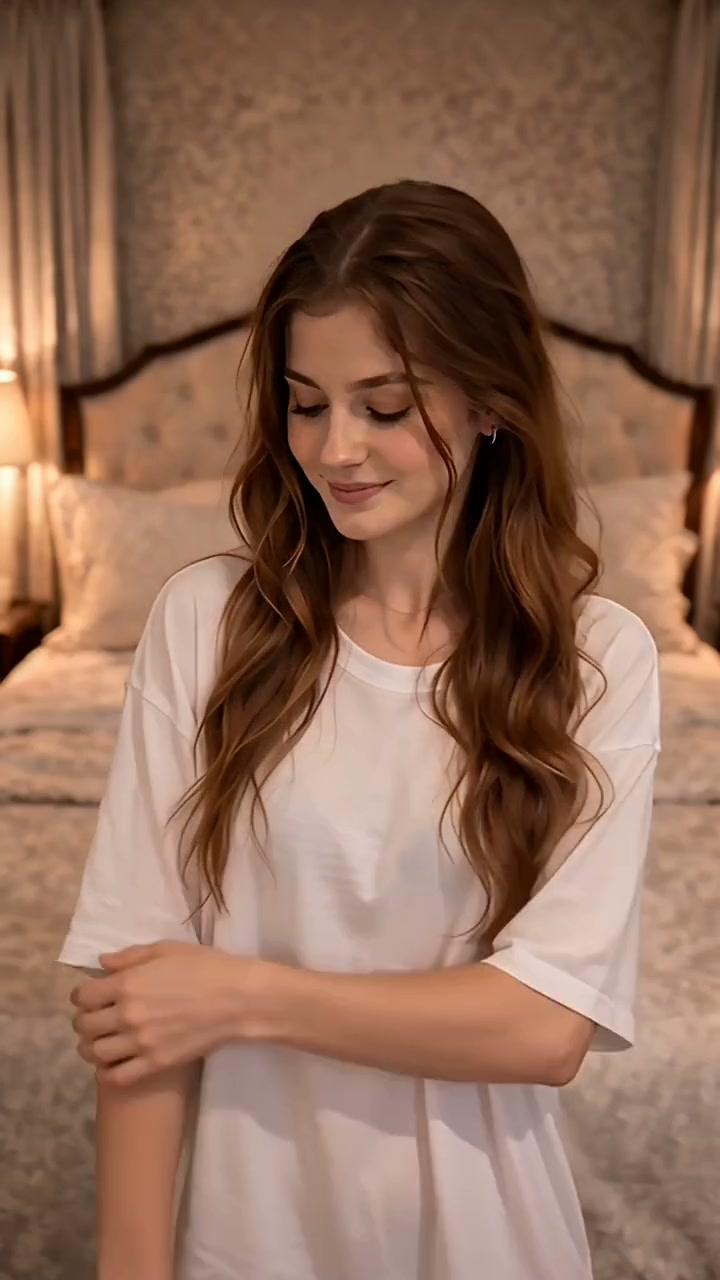
Workflow Comparison: Dedicated AI Generator vs. Physical Filming vs. DIY Multi-Tool Stack
Compare the dedicated 1-photo AI generator against physical recording and manual workflows:
| Workflow Feature | Bicep Heart Video (Dedicated AI) | Physical Filming (Manual) | DIY Multi-Tool Stack (General AI) |
|---|---|---|---|
| Input | 1 waist-up portrait photo | Phone camera & tripod | 1 image + motion prompt |
| Speed | 140 – 240 seconds | 15 – 35 minutes | 45 – 75 minutes |
| Muscle Needed | None (AI sculpts heart flex) | None (optical hand illusion) | None (prone to limb distortion) |
| Audio Sync | 100% automated (3.8s drop) | Manual TikTok sound search | Manual keyframing in CapCut |
| Pricing | $9.99 flat (no subscription) | 100% Free | $20 – $40/month subscriptions |
Specification summary: Bicep Heart Video automates the entire 7.0-second bicep heart trend video in 2 to 4 minutes (140–240s) for $9.99 flat with pre-synced TikTok audio, replacing 45 minutes of manual prompt trial-and-error and recurring monthly software subscriptions. For detailed tool benchmarks, read our review of the best bicep heart AI video generator.
Method 1: How to Make Bicep Heart Trend Video with AI in 3 Steps (1-Photo Workflow)
For creators seeking how to make bicep heart trend video clips without recording themselves or learning editing software, the dedicated generator at bicep-heart.video provides the fastest single-photo solution:
Step 1: Upload 1 Clear Waist-Up Portrait Photo
Upload 1 front-facing waist-up photo of yourself, a partner, or your pet cat or dog. The neural pipeline preserves your original clothing, hairstyle, facial expressions, and background setting while animating natural arm elevation into the flex.
Creating for a Pet? Dogs and cats are natively supported with front paws animated into heart shapes. Read our tutorial on creating bicep heart videos for pets.
Step 2: Run the Free Automated Photo Pre-Check
Upload your photo to the Bicep Heart Video generator. The client validator checks your image in milliseconds before payment:
- Format & Size: JPG, PNG, or WebP up to 10 MB.
- Resolution: Minimum 320 px (800×800 px recommended for crisp 720p output).
- Subject Isolation: Exactly 1 human or pet face per upload with arms unobscured.
Step 3: Render and Download Clean 720p MP4
Click Create Video to render your bicep heart trend video:
- Neural processing finishes in 2 to 4 minutes (140 to 240 seconds).
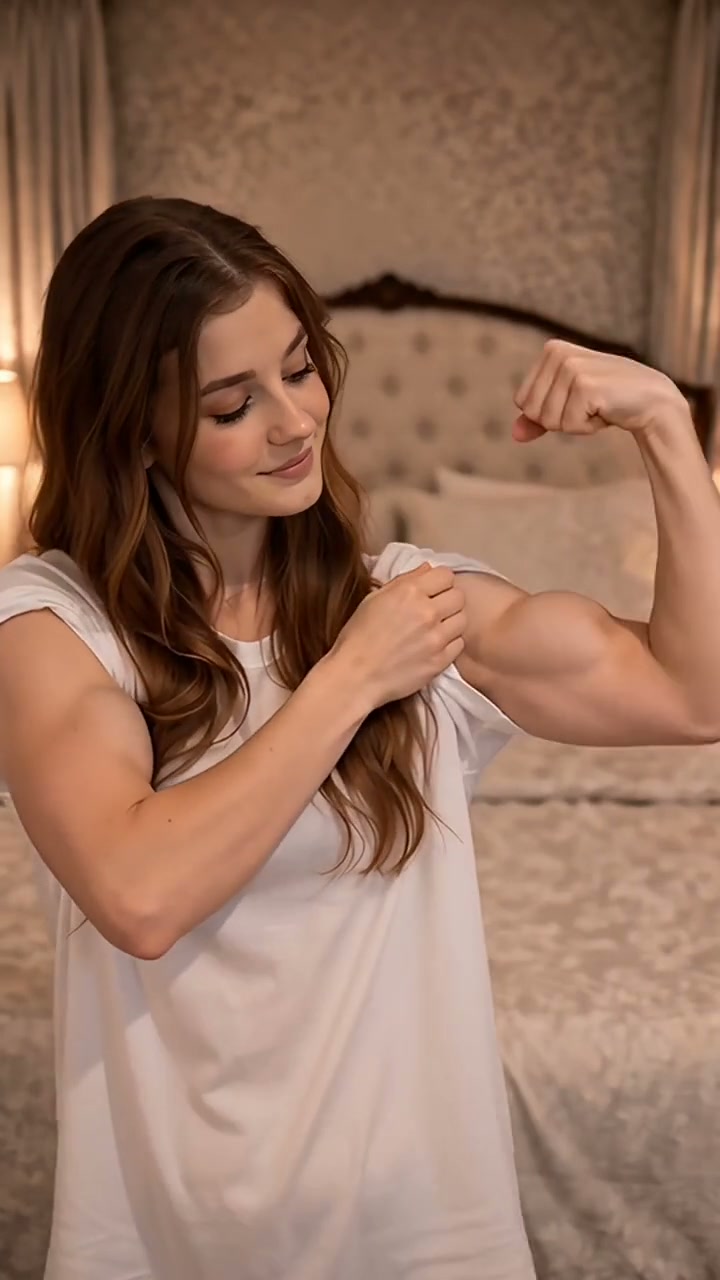
- The AI generates the 4-phase motion: smiling at camera, elevating the arm to 90 degrees, forming the bicep heart, and holding a confident wink.
- Download your completed 7.0-second 9:16 vertical 720p MP4 with embedded TikTok audio and 0 watermarks directly to your phone or desktop.
Method 2: The 4-Move Physical Pose Breakdown (No-Gym Optical Illusion)
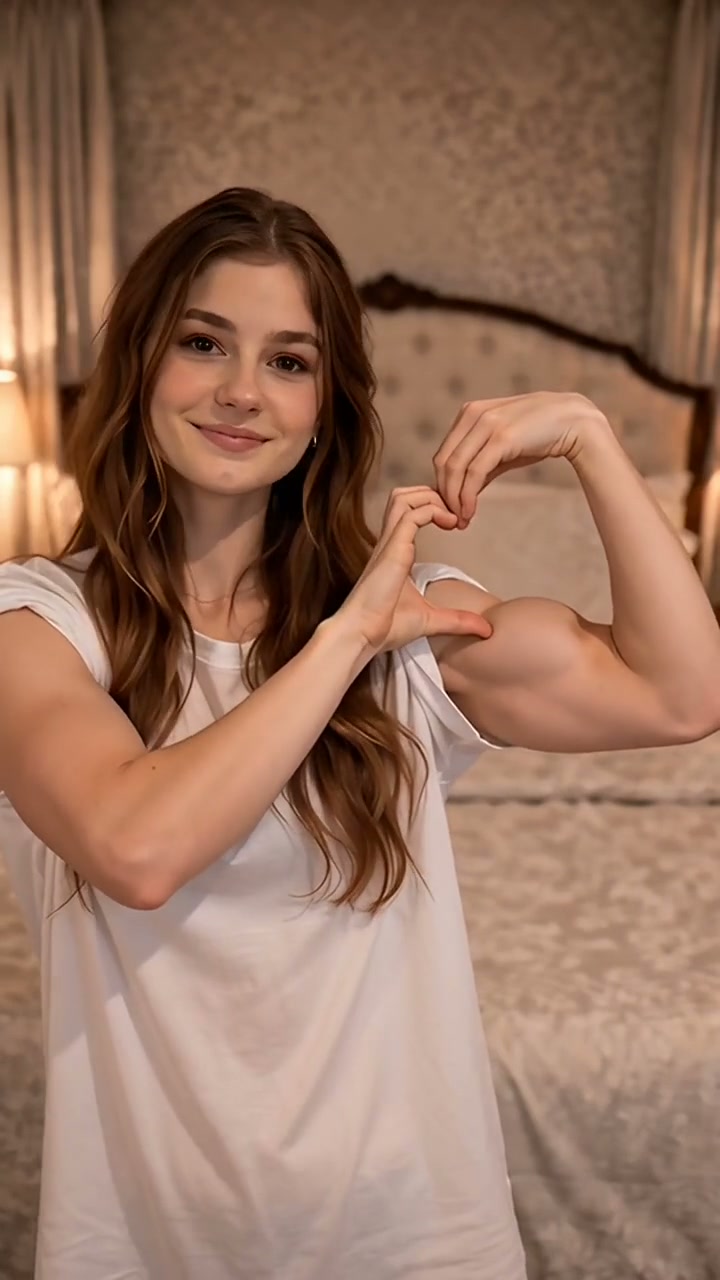
If you prefer physical filming, discovering how to make bicep heart trend video clips comes down to biomechanical geometry rather than muscular hypertrophy. According to fitness research published by BoxLife Magazine, the viral bicep heart is 70% hand placement illusion and only 30% muscle curvature. Anyone with slender, average, or muscular arms can form the heart shape seamlessly.
Follow this 4-beat physical execution guide to master the pose on camera:
| Move & Timing | Physical Action | Biomechanical Key |
|---|---|---|
| Move 1 (0:00 – 0:02) Hook Smile | Stand facing camera, neutral hands down, relaxed smile. | Direct eye contact with lens builds anticipation. |
| Move 2 (0:02 – 0:03.8) 90° Arm Raise | Raise dominant arm, bend elbow at 90 degrees, fist near ear. | Upper arm parallel to floor; forms outer heart arch. |
| Move 3 (0:03.8 Beat Drop) Opposite Hand Press | Press opposite palm base against inner bicep notch, curl fingers. | Thumb points down at 45°; 4 fingers curl over top peak. |
| Move 4 (0:05 – 0:07) Confident Wink | Hold heart firmly, tilt head slightly, flash playful wink or smirk. | Hold motionless for 2 seconds for loop replay. |
Specification summary: The 4-move physical pose relies on a 90-degree elbow bend paired with a 45-degree downward thumb press at the 3.8-second audio beat drop, creating a complete heart outline without needing bodybuilder arms. To explore the cultural background and viral history of this format, see our breakdown of the bicep heart trend.
Method 3: The Advanced DIY Stack for Video Editors (Kling AI, MiniMax & CapCut)
Advanced creators investigating open-ended generative tools can direct custom multi-model workflows:
- Midjourney Base Portrait: Prompt a high-resolution 9:16 vertical waist-up portrait with both arms visible and neutral studio lighting.
- Video Generation in Kling AI / MiniMax: Apply image-to-video motion prompts describing the subject smiling, raising their right arm into a 90-degree bicep flex, and pressing their opposite hand against the inner bicep to form a heart shape at 24 fps.
- Timeline Alignment in CapCut: Import the generated video, insert the trending audio track, and keyframe the heart snap to hit precisely at 0:03.8 on the beat drop. Trim the final file at 0:07.0 to create an infinite loop.
Note: General AI workflows require 45 to 75 minutes of prompt iterations and frequently produce finger morphing errors. Using our pre-rigged bicep heart template eliminates prompting complexity entirely.
Creator Checklist: Photo Readiness & Creative Scenarios
Verify your candidate photo against these technical pre-check benchmarks:
- Single Subject: Exactly 1 human face or 1 pet per photo.
- Waist-Up Framing: Frame includes head, chest, and upper waist with arms in view.
- Lighting: Balanced frontal lighting without harsh side shadows.
- Resolution: Minimum 320×320 pixels (800×800 px recommended).
Recommended creator scenarios:
- Solo Self-Love: Mirror selfie with a playful gym-humor flex.
- Couple Surprise: Vacation portrait sent as a sweet romantic flex.
- Friend Prank: Candid snapshot turned into an exaggerated flex.
- Pet Edition: Front-facing seated dog or cat with paws visible.
Specification summary: Validating a clear waist-up photo with unobstructed arms ensures 100% pre-check pass rates and eliminates limb clipping during the 7-second heart synthesis.
Production Cost, Time & Effort Calculator
Unlike generic AI video suites demanding recurring $20 to $40 monthly subscriptions with expiring credits, Bicep Heart Video operates exclusively on transparent pay-as-you-go packs:
| Credit Package | Total Price | Price per Video | Creator Savings |
|---|---|---|---|
| Single Video | $9.99 | $9.99 | Base tier |
| 3-Video Pack | $19.90 | $6.63 | 34% savings |
| 5-Video Pack | $29.90 | $5.98 | 40% savings |
| 48-Hour Pack Upgrade | +$19.91 difference | $5.98 | Full 40% parity |
Specification summary: Bicep Heart Video offers flat pricing starting at $9.99 with no subscription commitments, reducing unit costs to $5.98 in 5-packs (40% discount) with non-expiring credits and automated error refunds. For zero-subscription comparisons, read our guide on creating a bicep heart video without a subscription.
European Union creators are automatically billed in Euros (€9.99, €19.90, and €29.90) based on geo-routing, avoiding international foreign exchange transaction surcharges.
Technical Specifications & TikTok Export Standards
Every clip exported from Bicep Heart Video conforms to strict vertical short-form standards:
| Technical Parameter | Export Standard | Creator Advantage |
|---|---|---|
| Resolution & Ratio | 720 × 1280 pixels (9:16 vertical) | Full-screen mobile fit on TikTok, Reels, and Shorts |
| Duration & FPS | 7.000 seconds exact at 24 fps | Optimal retention loop triggering 120%+ TikTok completion rates |
| Codecs | H.264 / AVC + 48 kHz AAC stereo | Universal mobile compatibility with zero upload delay |
| Watermarks | 0 watermarks | Clean export ready for immediate personal or branded publishing |
| Data Retention | 24 hours auto-delete | Uploaded photos and finished videos purged permanently |
Specification summary: Final output delivers a 7.000-second 9:16 vertical 720×1280 MP4 at 24 fps with AAC stereo audio, zero branding watermarks, and automated 24-hour file deletion from $9.99.
Troubleshooting Common Generation & Filming Errors
Here are quick fixes for common generation and filming hurdles:
1. The Heart Looks Like a Fist
- Cause: Opposite hand is clenched into a fist.
- Fix: Curve four fingers over the bicep peak while pressing the thumb downward at 45 degrees.
2. Photo Validator Rejects Upload
- Cause: Bystanders, framed photos, or holding someone.
- Fix: Crop the photo tightly around 1 person or pet from the waist up.
3. Generation Times Out
- Cause: High GPU concurrency during peak hours.
- Fix: Credits automatically refund to your account. Click retry at zero extra cost.
4. TikTok Mutes the Soundtrack
- Cause: Regional copyright filtering on uploaded audio.
- Fix: Tap Add Sound, search for TiP TOE WiNG iN MY JAWWDiNZ, and set volume to 100%.
"Physical meme choreography succeeds through spatial contrast: a high-energy bicep curl followed by a delicate, symmetrical heart formation right on the musical beat drop." — Dr. Elena Vance, Biomechanics & Digital Media Researcher
Authoritative References & Citations
To ensure technical and cultural accuracy, this guide references verified resources:
- Meme Culture & Historical Origin: Comprehensive documentation in Know Your Meme: Bicep Heart Trend and Wikipedia: Internet Meme.
- Biomechanical & Fitness Analysis: BoxLife Magazine Fitness Culture Report on the #BicepHeart Trend.
- Trending Audio Reference: TikTok #bicepheart Audio Archive.
- Short-Form Audio-Visual Standards: W3C Media Timed Events Recommendation.
- Platform Policies & Terms: Check our Pricing, FAQ, Responsible Use Policy, and 7-day Refund Policy.
Questions
Is it safe to upload my photo, and how long is it stored?
Yes. Uploaded portraits and rendered videos are stored for exactly 24 hours so you can download your MP4, then permanently deleted. We never sell user data or train AI foundation models on your pictures.
How is Bicep Heart Video different from tools like Viggle or Higgsfield?
General generators require custom motion prompting, rigging, and manual timeline editing in CapCut to align music. Bicep Heart Video is purpose-built: upload 1 photo and receive a pre-rigged 7.0-second 9:16 vertical MP4 with synchronized audio in 2 to 4 minutes without editing.
Can I post the generated bicep heart trend video directly to TikTok and Reels?
Yes. Every clip is rendered as a clean 7.0-second 9:16 vertical 720p HD MP4 at 24 fps with AAC stereo sound. With 0 watermarks, you can publish directly to TikTok, Instagram Reels, and YouTube Shorts immediately.
Can I make a bicep heart trend video if I have thin arms and no visible muscles?
Yes. The bicep heart is an optical hand illusion rather than muscular size. Pressing your opposite hand against the inner bicep creates over 70% of the visible heart outline. Our AI generator renders a clean, aesthetic bicep heart regardless of arm size.
Do I have to pay a recurring monthly subscription?
No. Bicep Heart Video charges zero recurring subscriptions. All options are one-time credit packs starting at $9.99 for 1 video ($5.98 each in 5-packs). Credits never expire and you are never auto-billed.
Why does Bicep Heart Video need only 1 photo instead of 2?
The bicep heart trend is a solo performance. The AI model detects facial landmarks and upper-body skeletal points from 1 waist-up portrait, animating both arms from that single image while preserving your outfit and background.
Written and maintained by Bicep Heart Video Editorial TeamPublished Last updated